
How Auto-Order Subscriptions Simplify Weekly Office Meals in the SF Bay Area
Author: Forest Liu · September 27, 2026
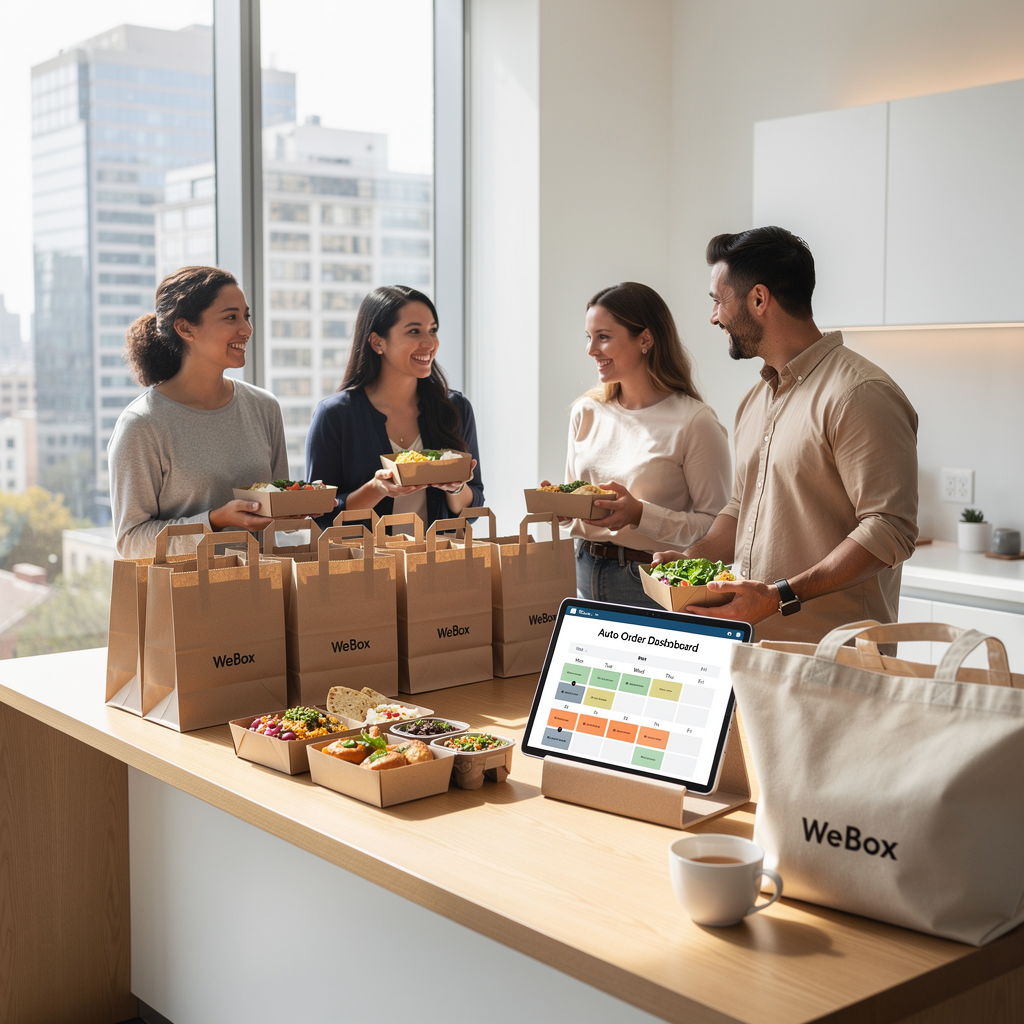
If you manage an office in the SF Bay Area, you already know the weekly meal grind: collecting headcounts, placing orders across different apps, and hoping lunch actually arrives before the all-hands. Auto-order subscriptions for weekly office meals solve that by turning a recurring task into a scheduled, repeatable system. With WeBox’s Auto Order, you configure a meal plan once and let it run—while still keeping the flexibility to swap restaurants, adjust headcounts, and add catering for special events. This guide walks through how it works, what to set up, and where it pays off.
What Are Auto-Order Subscriptions for Office Meals?
An auto-order subscription is a recurring food delivery schedule tied to your office. Instead of placing a one-off order every week, you define the parameters once—day of week, delivery window, headcount, budget per person, cuisine preferences, and delivery address—and the system repeats it.
WeBox’s Auto Order is built for this exact use case. It’s designed for teams that want predictable weekly meals without re-entering the same details. You can think of it as a standing reservation for your office pantry, but with restaurant variety built in.
- Recurring schedule: Weekly, biweekly, or custom cadence.
- Rotating menus: Swap between restaurants and cuisines without rebuilding the order.
- Headcount flexibility: Adjust portions as your team grows or goes hybrid.
- Budget guardrails: Set per-person spend caps before the order fires.
Why HR and Office Managers Are Switching to Scheduled Food Delivery
The old workflow—Slack poll, spreadsheet, three vendor emails, one last-minute cancellation—doesn’t scale. HR and office managers in the Bay Area are switching because scheduled delivery removes the recurring decision fatigue.
A few practical reasons we hear from teams:
- Hybrid attendance is unpredictable. A recurring order can be adjusted weekly rather than renegotiated from scratch.
- Vendor management is time-consuming. One subscription replaces multiple one-off orders.
- Dietary variety matters. Bay Area teams expect options—Indian, Mediterranean, Chinese, Italian, Vietnamese, and more. WeBox’s marketplace spans these cuisines across Fremont–San Jose, Mountain View–Palo Alto, Redwood City–San Mateo, and San Francisco–Oakland.
- Budget owners want visibility. Recurring orders make spend easier to forecast than ad-hoc purchases.
In May 2026, WeBox catering orders grew by more than 50% month over month—a signal that Bay Area offices are consolidating meal logistics into scheduled programs.
How WeBox Auto-Order Works: Setup, Scheduling, and Customization
WeBox introduced a redesigned Auto Order setup with a six-step wizard in its June 2026 update. Here’s how the flow maps to a real office setup.
Step 1: Define the recurring schedule
Choose the day(s) of the week and the delivery window. Most offices pick one anchor day—like Tuesday lunch—to maximize attendance.
Step 2: Set headcount and budget
Enter expected headcount and a per-person budget. This becomes the default, but you can override it for any single occurrence.
Step 3: Pick restaurants and cuisines
Select from the marketplace. You can rotate restaurants weekly to keep things fresh—for example, Mediterranean one week, Thai the next.
Step 4: Configure dietary options
Flag vegetarian, vegan, gluten-free, or halal requirements so the order includes appropriate items.
Step 5: Set delivery details
Confirm the office address, drop-off instructions, and contact person. WeBox’s logistics include video-based delivery verification and real-time monitoring.
Step 6: Review and activate
Review the summary and activate. You can pause, skip, or edit any occurrence from the dashboard.
Key Benefits: Time Savings, Budget Control, and Reliable Attendance
| Benefit | What It Looks Like in Practice |
|---|---|
| Time savings | No weekly ordering, no vendor emails, no spreadsheet rebuilds. |
| Budget control | Per-person caps and recurring spend make forecasting straightforward. |
| Reliable attendance | A predictable lunch day gives employees a reason to come in. |
| Variety | Rotate cuisines without renegotiating contracts. |
WeBox also maintains an emergency replacement buffer for canceled orders and an emergency partner replacement console, which matters when a restaurant unexpectedly goes offline.
Catering and Pantry Integration: Scaling from Weekly Meals to Events
Weekly meals are the baseline. The same account can scale into catering and pantry programs when needed.
WeBox catering supports events from 10 to 1,000 guests, with drop-off and onsite options. In Q4 2025, WeBox supported 245 catering events, including events for Rivos and Gen Digital. In January 2026, that included 50 events for clients like Zscaler, Capital One, and Gen Digital. March 2026 added executive breakfasts, team happy hours, holiday celebrations, and a St. Patrick’s Day event.
For offices that want a standing pantry, WeBox’s office pantry service can run alongside the auto-order subscription. And for themed events, WeBox has developed themed menus like a Cinco de Mayo DIY Taco Bar, with cuisine themes spanning Italian, Korean, Indian, and Thai.
Getting Started: A Step-by-Step Guide for Your Office
- Audit your current meal spend. Pull the last 4–6 weeks of receipts to establish a baseline.
- Pick your anchor day. Choose the day with the highest in-office attendance.
- Set a per-person budget. Start conservative; adjust after the first month.
- Select 3–4 restaurants to rotate. Mix cuisines to cover dietary needs.
- Configure Auto Order in WeBox. Use the six-step wizard to set schedule, headcount, and delivery details.
- Run a pilot. Start with one recurring order per week for four weeks.
- Review and expand. Add catering for events or a pantry program once the weekly cadence is stable.
If you want to test the workflow, WeBox offers a 30-day free trial for the Pro Plan.
FAQ
Can I change the headcount for a single week?
Yes. Auto Order lets you override the default headcount for any individual occurrence without changing the recurring schedule.
Which Bay Area regions does WeBox serve?
WeBox operates across Fremont–San Jose, Mountain View–Palo Alto, Redwood City–San Mateo, and San Francisco–Oakland.
Can I use Auto Order and catering on the same account?
Yes. Many offices run a weekly Auto Order subscription and add catering for events, using the same WeBox account.
What happens if a restaurant cancels my order?
WeBox maintains an emergency replacement buffer and an emergency partner replacement console to help recover canceled orders.
Is there a free trial?
WeBox offers a 30-day free trial for the Pro Plan.